
Task Bar of Ragnalis Troubleshooting
Chests, EXP, stuck maps, soft bans, Reset, DLC recognition, and text size—patched facts first.
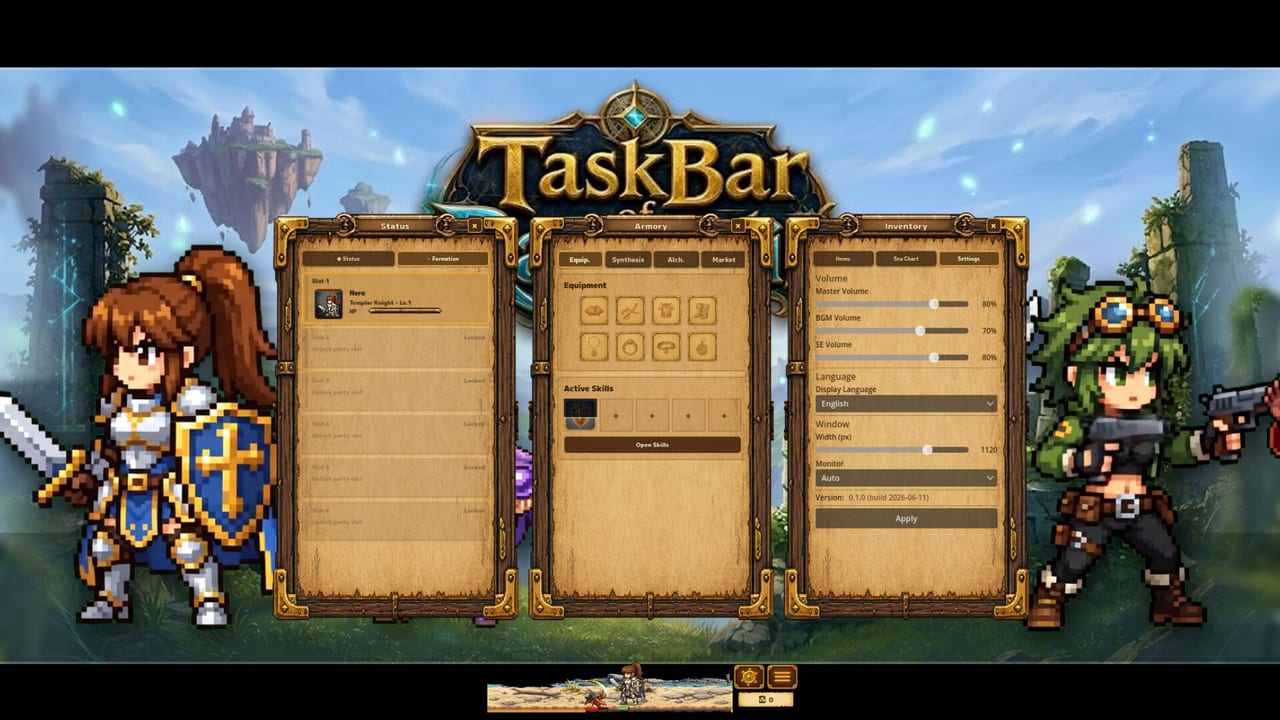
Start here before you reroll everything
Most “broken account” reports after launch cluster into a short list that Steam news already named: chests that will not open, EXP that stops, maps that feel stuck, soft bans tied to strict anti-cheat and timezone mismatch, Reset side effects, DLC that fails to apply, and unreadable UI. This guide walks those symptoms against v1.0.1 and v1.0.2 facts. Full changelog prose lives on Patch Notes. Dated future work lives on Roadmap.
Task Bar of Ragnalis is not Task Bar Hero. Importing the wrong game’s fixes wastes time. There is also no redeem codes recovery path—see Codes.
Universal checklist
- Update the game through Steam and verify integrity if the build looks stale.
- Fully quit the client, then relaunch (minimized idle is fine; a hung process is not).
- Confirm Windows clock uses automatic timezone and internet time sync.
- Read the matching section below before you press Reset.
- If the issue is difficulty rather than a bug, pivot to Early Progression and Beat Early Waves.
Chests will not open
v1.0.2 specifically addressed chests that cannot open. If you are still on a pre-fix build, no party composition will force the chest UI to behave. After updating:
- Restart once so the reward pipeline reloads.
- Try opening a chest again on a stage you can already clear.
- If chests open but loot looks useless, remember class locks and random skills—Items, Random Skills.
Do not confuse “chest animation soft lock” with “I dislike the drop.” One is a bug target; the other is gear planning via Stack Items.
EXP stopped granting
The same v1.0.2 pass fixed cases where EXP stopped. Symptoms: enemies die, time passes, numbers never move. Response:
- Patch to 1.0.2 or later.
- Restart the client.
- If you reset during 1.0.1 and rewards died, use the emergency Reset step below.
- Only then evaluate whether you are under-leveled for the stage and should farm earlier content.
Offline rewards exist in the design, but they cannot paper over a client that stopped granting EXP entirely. After EXP moves again, return to the pacing advice in How to Play and Guides.
Map feels stuck
“Stuck map” reports were also called out in v1.0.2. Distinguish three cases:
- Bug soft lock — progress flag never advances; patch + restart.
- Combat wall — you can enter but cannot clear; gear and party problem.
- UI confusion — you cannot tell which stage is selected; fix readability.
Combat walls belong to Beat Early Waves, Classes, and Party Builds. Remember free roles: Templar Knight frontline with Sigils, Priest healing with Prayer, Witch backline Full Cast, Gunner ranged mark/eliminate. DLC Pirate and Overlord are optional—DLC.
v1.0.1 already reduced difficulty on stages 1-1 to 1-3. If you still bounce there after that patch, focus on eight equipment slots and nine-copy tier-ups rather than assuming the map flag is broken.
Soft bans and timezone mismatch
Official notes stated anti-cheat was too strict and could soft-ban players when timezone data mismatched. That can look like sudden inability to progress or reward denial.
Mitigation grounded in those notes:
- Turn on automatic Windows time zone.
- Stop manual clock spoofing while playing.
- Update to the build that corrected the overly strict checks.
- Avoid shady “unban” executables that create real security problems.
If a soft ban persists on a patched client with a correct clock, escalate through Steam rather than forum cracks. Cross-read Patch Notes so you can quote the official cause.
Reset button — when to use it (and when not to)
v1.0.1 added Reset in Settings. Official meaning: changing character = start over. Reset is a hard restart, not a free talent swap.
Use Reset when:
- You intentionally want a new character path.
- The v1.0.2 emergency note applies: rewards broke after a 1.0.1 reset, so you should press Reset again on the fixed build.
Avoid Reset when:
- You only need to re-equip gear or rebuild a party of three.
- You hope Reset will spawn redeem rewards (it will not—Codes).
- You have not updated past the known reward bug.
After a legitimate Reset, rebuild with Party Planner, Stack Calculator, and class pages under Classes.
DLC not applying (Pirate / Overlord)
v1.0.1 included a DLC recognition fix. If Pirate or Overlord stays locked after purchase:
- Confirm the DLC is owned on the Steam account that launches the game.
- Update to a build that includes the recognition fix.
- Fully restart the client.
- Re-check class select / unlock UI.
Still missing? Use Steam “verify integrity,” then consult Pirate & Overlord and DLC Cost Checker to confirm you bought the pack you think you bought. Storage DLC questions belong under Storage and the DLC hub.
Text too small to read
v1.0.1 added a temporary text size option. Use it before you mis-click Reset or sell the wrong stack. Also read Taskbar Setup, Controls, and System Requirements. “Temporary” means the control may move later; until then it is the supported readability lever.
Gunner feels inaccurate
If shots seem to ignore marked targets on old builds, install the Gunner accuracy fix from v1.0.1 before you bench the class forever. Then refine loadouts with the Gunner Guide and Tier List.
Video context
The embedded live session below is real Task Bar of Ragnalis footage for desktop-loop context. Use it to compare how the client should look when chests and combat are advancing, then come back to the checklists above for fixes.
When it is not a bug
- Weak damage with empty stacks → Stack Items, Items.
- Wrong expectations from another taskbar game → vs Task Bar Hero.
- Waiting on Market trading → Market is indefinitely postponed (Roadmap).
- Chasing fake gift codes → Codes.
- Deciding whether to keep playing → Review, Worth Playing.
Keep a short incident log
When you ask for help, note: build version, whether chests open, whether EXP moves, timezone auto setting, DLC owned, and whether Reset was used on 1.0.1. That list maps cleanly onto official notes and beats a vague “game broken” post.
After recovery, return to normal idle loops via Guides, track new patches on Updates, and chase the 19 Steam achievements with systems that actually work—see Achievements. Tools for deliberate rebuilding sit in Tools. Setup friction belongs in Setup.
Patch first. Clock correct. Reset only with intent. Then optimize the party.
Frequently Asked Questions
Quick answers to the most common questions.
Chests will not open after launch. What do I do?
Update to v1.0.2 or later, restart the client, then retry. See also [Patch Notes](/updates/patch-notes/) for the official chest fix.
Rewards broke after I used Reset on 1.0.1.
The emergency 1.0.2 note says to press Reset again after updating. Reset still means starting the character over.
Am I soft-banned because of my timezone?
Official notes linked overly strict anti-cheat and timezone mismatch to soft bans. Enable automatic Windows time and update the game.
I bought Pirate or Overlord but cannot use it.
Install the v1.0.1+ DLC recognition fix, restart, and verify Steam ownership. Details: [Pirate & Overlord](/dlc/pirate-overlord/).