Task Bar of Ragnalis Guides
Idle combat tutorials, starter picks, offline rewards, and patch recovery.
Why these guides exist
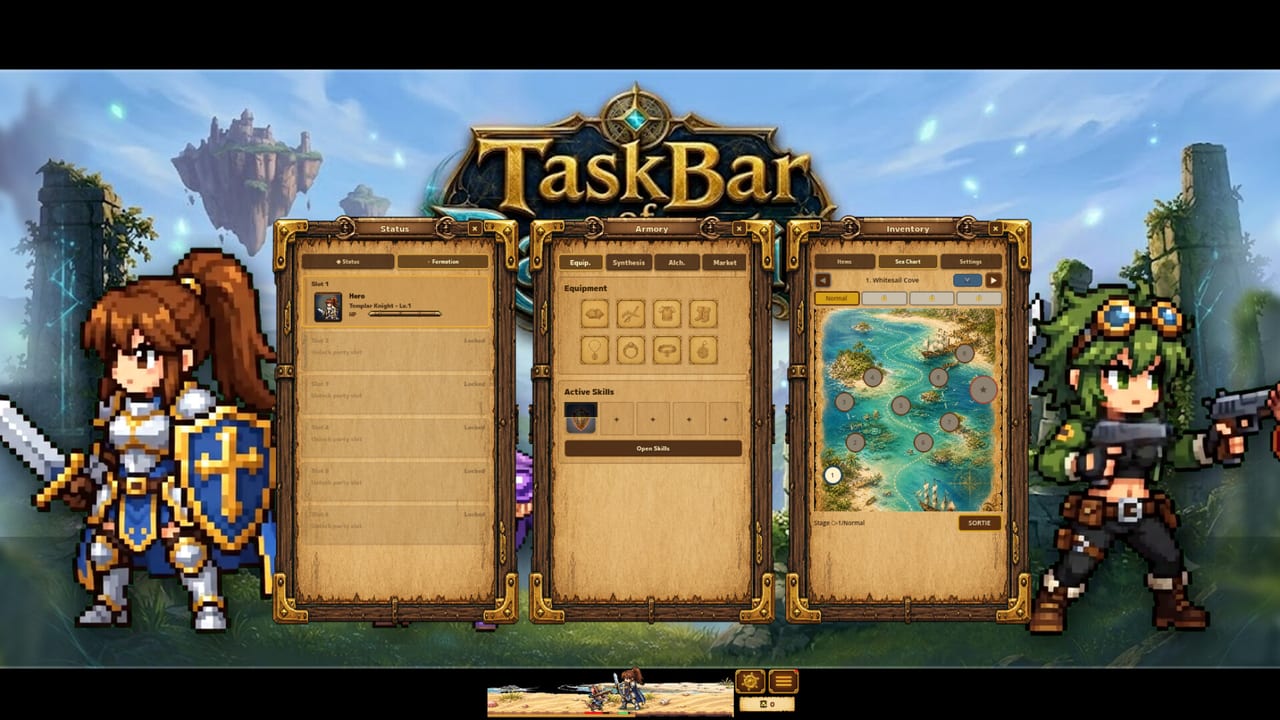
Task Bar of Ragnalis is a free-to-play idle auto-battler on your Windows taskbar from Jagernaut Games. Free base classes are Templar Knight, Priest, Witch, and Gunner; Pirate and Overlord are optional DLC. Heroes fight, open chests, and return gear while you work—and official text also promises offline rewards while the client is closed. Launch friction was real—soft starts, class-locked drops, and anti-cheat soft bans—but official v1.0.1 and v1.0.2 patches changed the recovery path.
This hub is the map. Start with How to Play and Starter Class if you are new. If chests, EXP, or maps break, jump to Troubleshooting and the Patch Notes. Searching for gift codes? Read Codes—there is no redeem system.
What you will learn
- The watch / loot / build idle loop and eight equipment slots
- Which free class to open with before you unlock seats two and three
- How offline rewards differ from minimized taskbar idle
- Nine-copy synthesis and random skill evaluation
- How to recover from soft bans, reset bugs, and stalled maps after v1.0.2
- Why fake “Ragnalis codes” sites are a scam risk
Recommended reading order
- How to Play — install, loop, first decisions
- Starter Class — Templar Knight, Priest, Witch, or Gunner first
- Early Progression — gold, stacks, party unlocks
- Offline Rewards — closed-client progress habits
- Troubleshooting — chests, EXP, stuck maps, reset, DLC recognition
- Stack Items — nine-copy math
- Beat Early Waves — early walls after 1-1 to 1-3 ease
- Codes / Achievements / First Look
PC navigation shows up to eight guide links, then View all back to this hub—use the list above when the dropdown is truncated.
For class ranking open the Classes hub. For loadouts open Equipment Slots. Track patches in Updates and the Roadmap (Cooking Buffs with tavern meals, delayed Steam Market, Arcana Cards).
Tools and setup
Use the Stack Calculator, Party Planner, and DLC Cost Checker (including Complete DLC Pack overlap). Keep the window readable via Taskbar Setup and the temporary text-size option from v1.0.1 under Controls.
Stay current
Always verify the Steam build after patch days. Soft-ban false positives from overly strict anti-cheat were called out by the developer in the v1.0.2 notes—update before you assume your account is dead. This wiki is unofficial fan documentation.
Hub map
Guides own how-to and recovery. Updates own patch notes and roadmap. Classes own builds. Items own loot theory. Review owns value judgments and the Task Bar Hero comparison.
Frequently Asked Questions
Quick answers to the most common questions.
Where should a brand-new player start?
Begin with [How to Play](/guides/how-to-play/) and [Starter Class](/guides/starter-class/), then [Early Progression](/guides/early-progression/). If rewards look broken, open [Troubleshooting](/guides/troubleshooting/) first.
Are there redeem codes?
No. See [Codes](/guides/codes/) for the full explanation and scam warnings.
Chests will not open / EXP stopped—what now?
Update to v1.0.2, follow [Troubleshooting](/guides/troubleshooting/), and read [Patch Notes](/updates/patch-notes/). If you reset on 1.0.1, press Reset once more.
Is this Task Bar Hero?
No. Different Steam game. Read [vs Task Bar Hero](/review/vs-task-bar-hero/) before copying metas.